
No products in the cart.
Registration as an author for publishing your own books.
How to Register as an Author on knigdom.com: Step-by-Step Guide
This guide will help you register as an author (publisher) and open your own store to sell books on knigdom.com.
1) Go to the Website and Start Registration
Open knigdom.com.
In the top-right corner, click Publish your book — this will take you to the vendor registration page.
Click Become a Vendor.
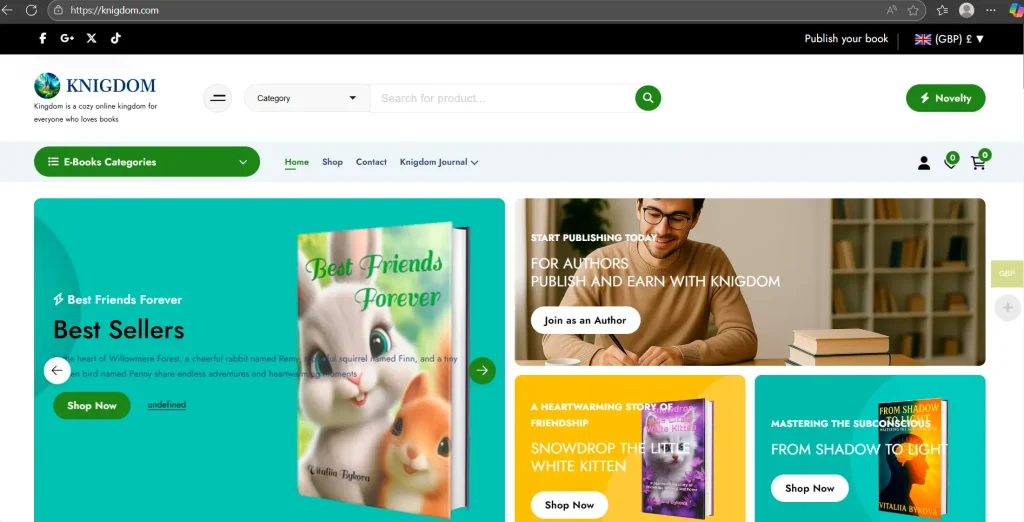
- Click Become a Vendor.
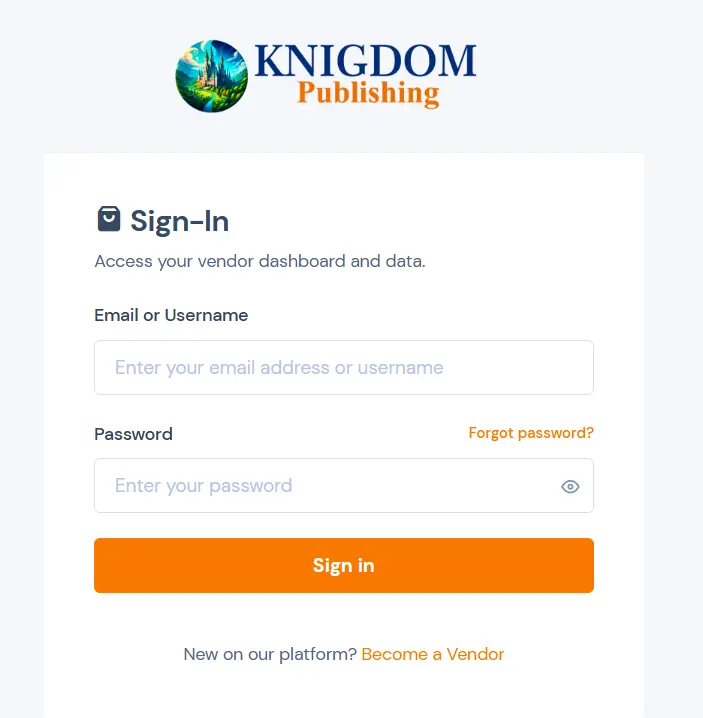
2) Create Your Account
On the registration page, fill in the following fields:
Email — enter your valid email address.
Password — create a strong password.
UserType — select Publishing (not Customer).
Why: choosing Publishing gives you access to author and publisher tools.
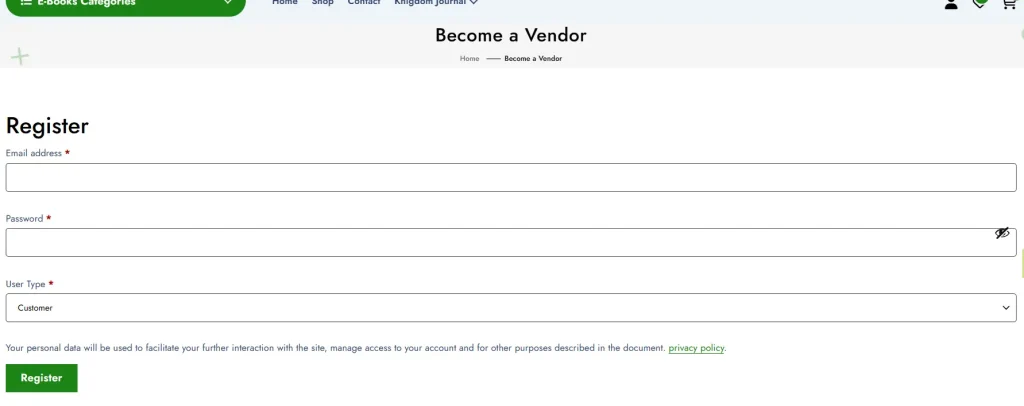
3) Fill in Your Profile Information
Enter your basic details:
First Name — your first name.
Last Name — your last name.
Company/Author Name — your company name or author name/pseudonym.
Phone Number — your phone number including your country code.
4) Store Details
Set up your public store information:
StoreName — the name of your store (this is visible to readers).
StoreURL — choose your store’s web address.
Example: your personal author page will look like this.
Choose a short and memorable URL (e.g.,ivan-ivanovoromega-publishing).
Country — select your country.
City — enter your city.
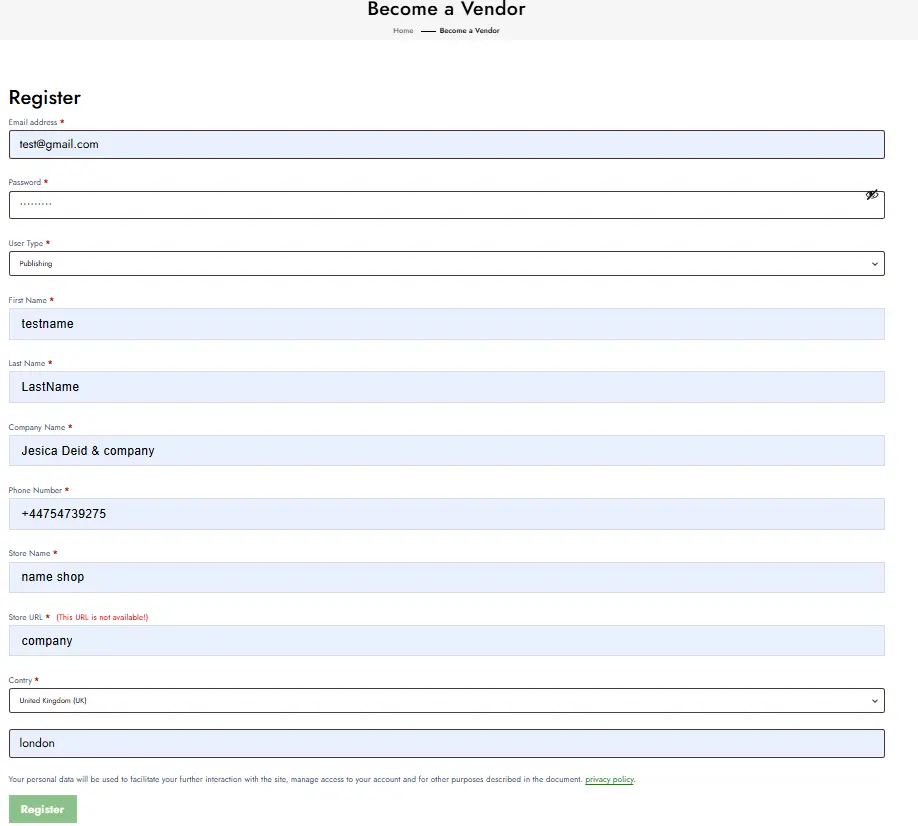
5) Complete Registration
Review all entered information and click Register.
Follow any additional instructions on the screen (you may need to confirm your email).
Helpful Tips
Password: use at least 8 characters with a mix of letters, numbers, and special symbols.
Store Name & URL:
Keep it simple and professional.
Don’t use spaces in the StoreURL (use hyphens instead).
Check that your chosen URL is available.
Contact Info: provide an active phone number and email — they’re needed for support and communication with readers.
Author Profile: after registration, complete your profile — add an author photo or logo, book covers, and descriptions to increase trust and sales.
Common Mistakes to Avoid
Wrong user type: if you select Customer, you won’t have access to seller tools. Always choose Publishing.
Incorrect phone format: include your country code (e.g., +44…, +380…, +7…).
Store URL already taken: if the system says the address is in use, try a different one by adding numbers or another word.
